KOTLIN MULTIPLATFORM LIBRARY
LensLogger
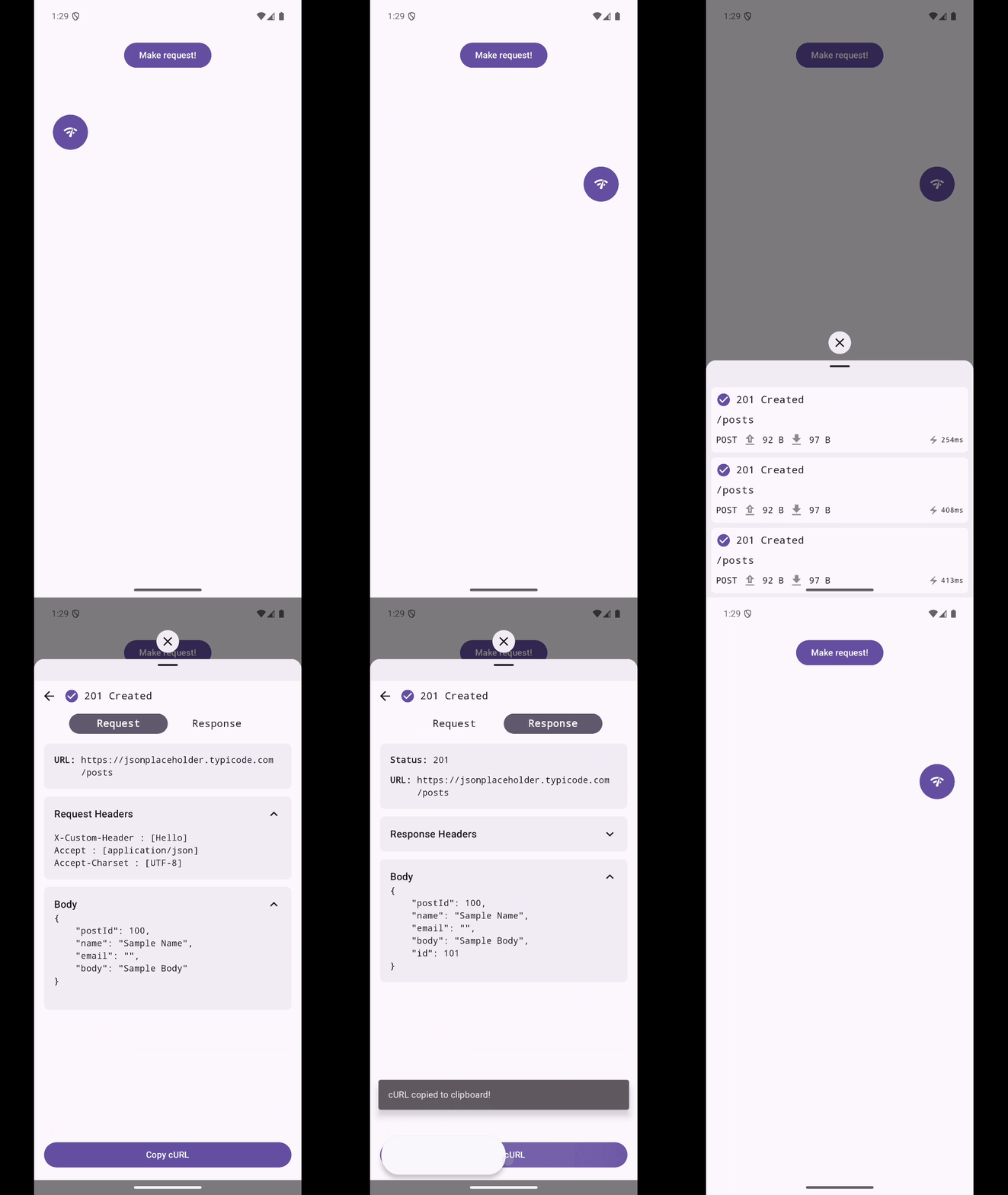
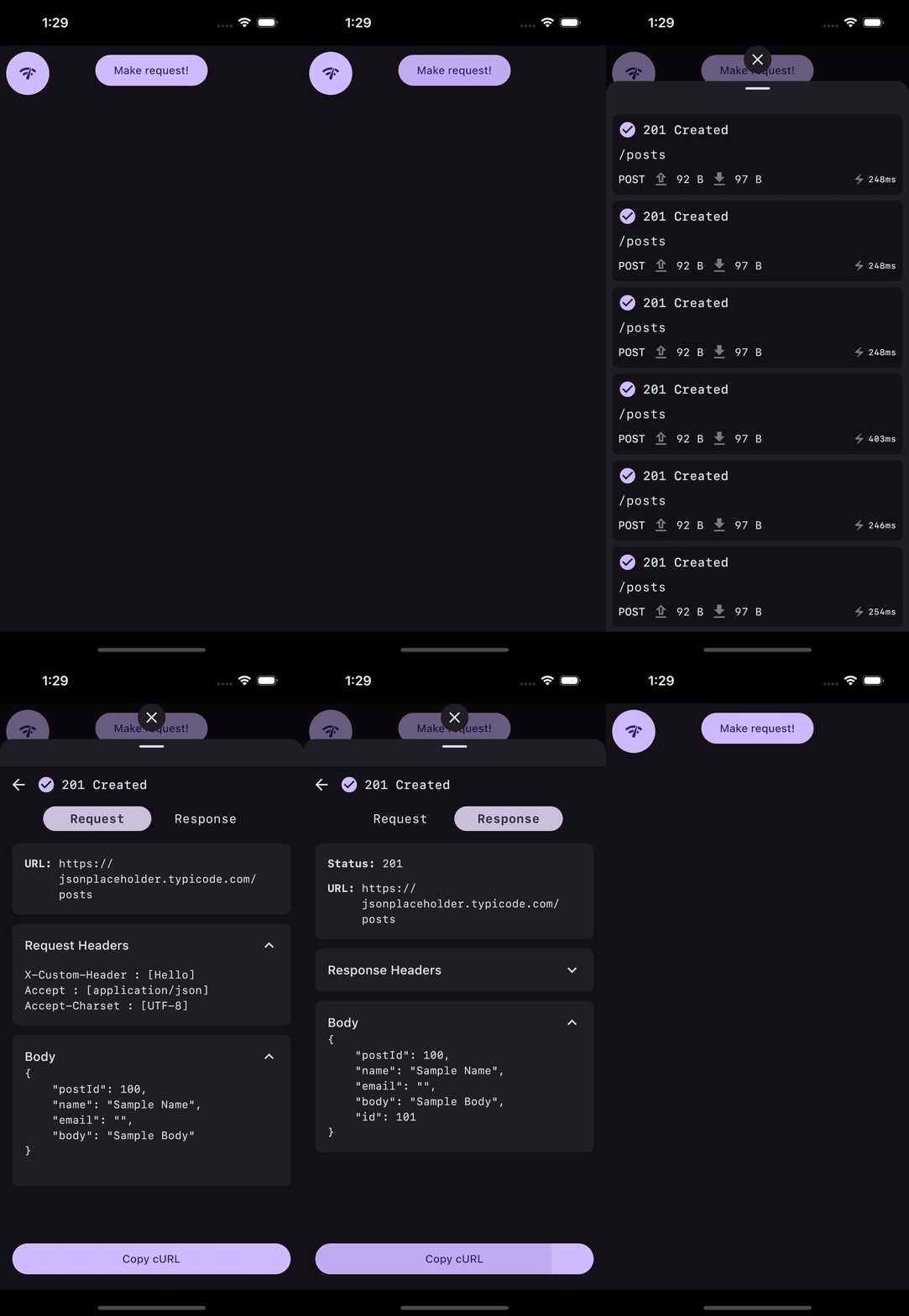
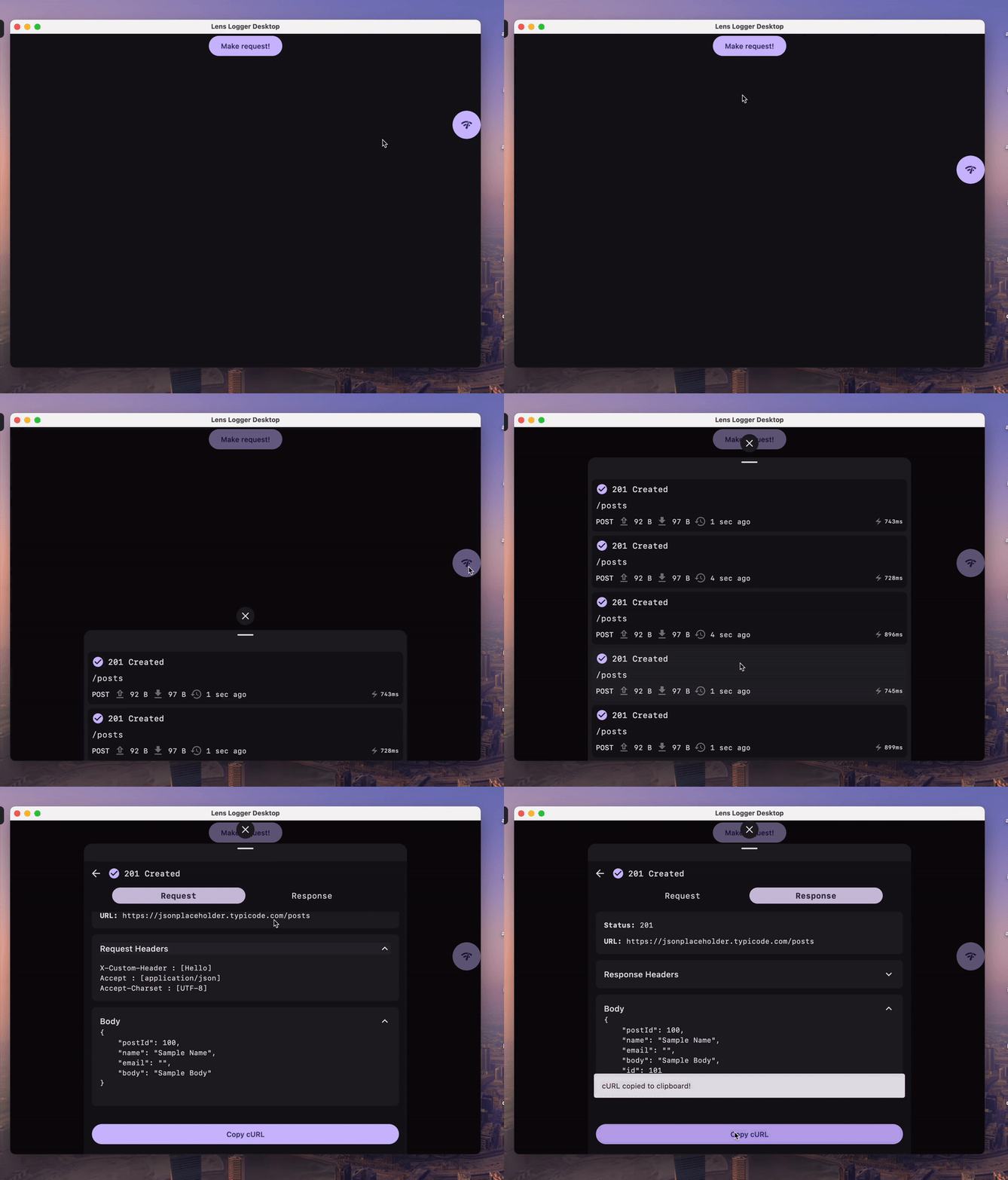
LensLogger is a Kotlin Multiplatform (KMP) library for Android, iOS, and Desktop that makes debugging network requests effortless. It automatically logs Ktor network requests and responses and provides a built-in UI to inspect these logs directly in your app.
MIT LicenseAndroidiOSDesktop
CAPABILITIES
Features
- Seamless integration with Ktor HTTP client
- OkHttp application interceptor for Retrofit and raw
OkHttpClient (Android and JVM Desktop) - Works on Android and iOS (KMP), with Desktop support
- Logs network requests and responses
- Built-in UI for real-time log inspection and mocking
- Minimal setup and easy to use
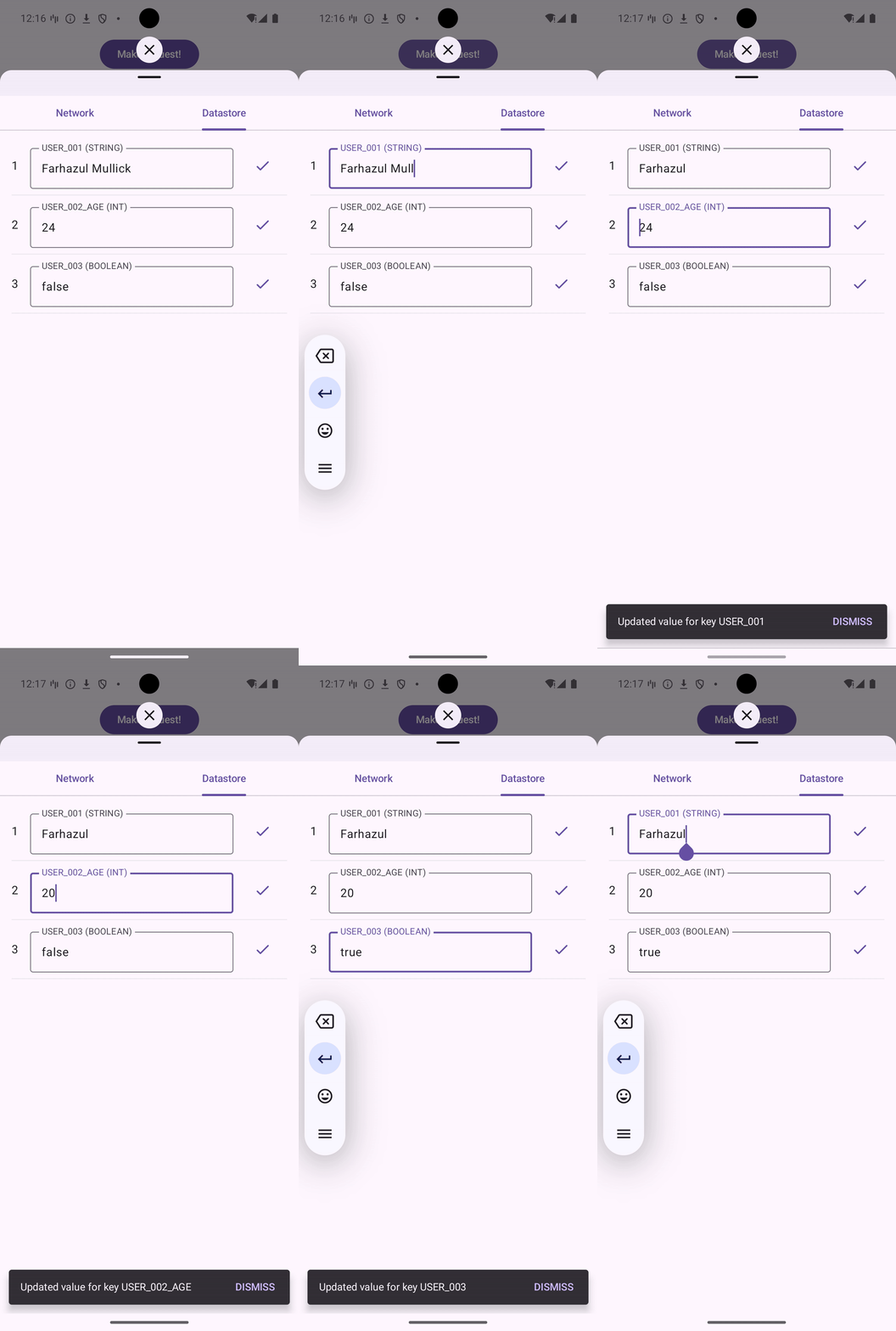
- DataStore Visualizer guide
GET STARTED
Installation
Add the LensLogger artifact to your module's commonMain dependencies:
dependencies {
    implementation("io.github.farhazulmullick:lens-logger:<version>")
}
Or add it to your libs.versions.toml:
lensLoggerVersion = "<version>"
lens-logger = { module = "io.github.farhazulmullick:lens-logger", version.ref = "lensLoggerVersion" }
INTEGRATION
Usage
01Integrate with Ktor Client
In shared code, such as commonMain:
import io.github.farhazulmullick.lenslogger.*
import io.ktor.client.*
import io.ktor.client.engine.*
import io.ktor.client.plugins.logging.*

val client = HttpClient(engine) {
    // Replace install(Logging) with this.
    // Log request/response in Logcat and Lens UI as well.
    LensHttpLogger {
        level = LogLevel.ALL
        logger = object : Logger {
            override fun log(message: String) {
                Napier.d(message = message)
            }
        }
    }.also {
        // Set up Napier logger.
        Napier.base(DebugAntilog())
    }
}
Or install LensLogger only:
val client = HttpClient(engine) {
    install(LensHttpLogger) {
        level = LogLevel.ALL
    }
}
02OkHttp / Retrofit (Android and JVM desktop)
Install LensOkHttpInterceptor on the application interceptor chain of the OkHttpClient used by Retrofit or another OkHttp client.
import io.github.farhazulmullick.lenslogger.plugin.network.installLensInterceptor
import okhttp3.OkHttpClient

val okHttpClient = OkHttpClient.Builder()
    .installLensInterceptor()
    // other interceptors, timeouts, etc.
    .build()
Equivalent without the extension:
import io.github.farhazulmullick.lenslogger.plugin.network.LensOkHttpInterceptor

OkHttpClient.Builder()
    .addInterceptor(LensOkHttpInterceptor())
    .build()
Calls through this client appear in the same network log store as Ktor traffic, so they show up in the Lens inspector and respect the same mocking rules where applicable. The interceptor uses blocking work internally; keep it on clients that run network I/O off the main thread (typical for Retrofit).
03Lens UI — Compose root (LensApp)
When your root UI is Compose, wrap your app with LensApp. It adds a draggable FAB that opens the bottom sheet inspector (LensContent). Pass dataStores if you use the DataStore tab.
import io.github.farhazulmullick.lenslogger.ui.LensApp
import androidx.compose.ui.Modifier

LensApp(
    modifier = Modifier.fillMaxSize(),
    showLensFAB = true,
    sheetGesturesEnabled = false,
    dataStores = myDataStores,
) {
    App()
}
Compose integrationThere is no separate window-level ComposeView overlay on activities: the FAB lives in your Compose tree only. Wire at least one of Ktor or OkHttp so the Network tab has traffic to show.
04Android without a Compose root (LensAndroid)
If you do not have a single Compose root (classic Activity, XML, or fragments), skip LensApp. Call LensAndroid.install once from Application.onCreate on the main thread. It posts a persistent notification that opens LensActivity (full-screen inspector). Configuration only needs a dataStoresProvider (return an empty list if you do not use DataStore in Lens).
import android.app.Application
import io.github.farhazulmullick.lenslogger.ui.LensAndroid
import io.github.farhazulmullick.lenslogger.ui.LensInstallConfiguration

class MyApp : Application() {
    override fun onCreate() {
        super.onCreate()
        LensAndroid.install(
            this,
            LensInstallConfiguration(dataStoresProvider = { ctx -> emptyList() }),
        )
    }
}
Register the application class in the manifest (android:name=".MyApp"). Call LensAndroid.uninstall(this) with the same Application to cancel the notification and clear cached DataStores. After the user grants POST_NOTIFICATIONS (API 33+), call LensAndroid.refreshPersistentNotification(application) if the notification was not shown at install time.
iOSUse your own navigation to embed or present the shared inspector UI as needed; the notification-based entry point is Android-only.
OPEN SOURCE
License
This project is licensed under the MIT License. Read the license